The average mobile gamer spends more than they realise. Not because they’re reckless — but because mobile games are specifically engineered to make spending feel small, natural, and justified. This guide explains exactly how those systems work and gives you practical tools to take back control of your gaming budget.
Reality check: Mobile gaming is a £100 billion+ global industry. The revenue doesn’t come from the people who spend £50 on a game once — it comes from the people who spend £5 repeatedly, without ever making a conscious decision to spend at all. Understanding this changes how you engage with every free mobile game.
How Mobile Games Are Designed to Take Your Money
Before you can change a behaviour, you need to understand the system driving it. Mobile game monetisation uses a set of well-documented psychological mechanisms borrowed from behavioural economics and gambling research:
1. Variable Reward Schedules
The same mechanism used in slot machines. Loot boxes, spin wheels, and card packs give unpredictable rewards — sometimes great, usually ordinary. Unpredictable rewards are more compelling than predictable ones, which is why you keep opening them even when you know the odds. This is documented behavioural science, not opinion.
2. Artificial Scarcity and Urgency
“Limited time offer — 12 hours remaining.” “Only 3 left at this price.” These countdowns create artificial urgency that pushes impulsive purchasing decisions. The offer is almost always available again next week under a different name. The urgency is manufactured. Recognising it as artificial removes most of its power.
3. Sunk Cost Manipulation
You’ve been playing a game for 60 hours. You’re invested — emotionally and in time. Now you’re stuck on level 247 and the game offers a booster to get past it for £2.99. Spending £2.99 to protect 60 hours of progress feels rational. But what you’re really paying for is the sunk cost — time already spent — not future value. This is the sunk cost fallacy weaponised.
4. Engineered Difficulty Spikes
Many free mobile games have difficulty curves designed specifically around purchase points. The first 20 levels are easy and enjoyable — they’re a free sample. Levels 21–40 introduce a difficulty spike that’s perfectly tuned to make you want to buy a booster. The difficulty will ease again without you spending, but most players don’t wait to find out.
5. Micro-Transaction Pricing
£0.99 feels trivial. £1.99 feels fine. £2.99 seems reasonable. But £0.99 × 20 over a month is £19.80 — the cost of a full paid game. Mobile game pricing is carefully calibrated to stay below the threshold where you consciously evaluate the purchase. The frictionless payment through Face ID or stored payment details removes the last barrier.
🛡 10 Practical Ways to Stop Overspending on Mobile Games
Remove stored payment details from your App Store
Go to Settings → Apple ID / Google Play → Payment & Shipping and remove your saved card. Requiring you to re-enter payment details for every purchase adds enough friction to prevent impulsive spending. This single step reduces in-app spending significantly for most people.
Enable purchase password or biometric confirmation
On iOS: Settings → Screen Time → Content & Privacy Restrictions → iTunes & App Store Purchases → Require Password. On Android: Google Play → Settings → Authentication → Require authentication for purchases. This forces a deliberate confirmation step before any purchase completes.
Set a monthly gaming budget and track it
Decide in advance what you’re willing to spend on games per month — even if it’s £0. Write it down or put it in your budgeting app. Check your App Store purchase history monthly (iOS: Settings → Apple ID → Subscriptions & Purchases; Android: Google Play → Account → Order History). The total is usually surprising.
Use the 48-hour rule for any purchase over £5
Before spending more than £5 on any in-game item, wait 48 hours. Close the game, don’t think about it. If you still want it two days later, it might be a genuine considered purchase. If you’ve forgotten about it, it was an impulse the game engineered. Most purchases fail this test.
Delete games that repeatedly push you toward spending
If a game has shown you a purchase prompt more than three times in a single session, it’s not a good game — it’s a monetisation engine wearing a game’s clothes. Delete it without guilt. The time you invested doesn’t justify continued engagement with something that doesn’t respect you as a player.
Switch to subscription services instead of individual purchases
Apple Arcade (£6.99/month) and Google Play Pass (£4.99/month) give access to 200+ premium games with zero in-app purchases. If you currently spend more than that per month on mobile games, a subscription is both cheaper and gives you a better library of genuinely complete games.
Turn off push notifications from all games
Push notifications are designed to pull you back into the game at moments engineered for spending — “Your daily offer expires in 2 hours!” Go to Settings → Notifications and disable notifications for every game you have installed. You’ll know when you want to play without the game manipulating your attention.
Research monetisation before downloading
Before downloading any free game, search “[game name] + pay to win” or “[game name] + in-app purchases reddit”. TouchArcade and the r/iosgaming subreddit are the most reliable sources for honest monetisation assessments. Five minutes of research before downloading saves both money and frustration.
Recognise the difference between enjoyment and compulsion
Ask yourself honestly: “Am I enjoying this game, or am I just unable to stop?” If you’re playing out of habit, streak anxiety, or fear of losing progress — not because it’s fun — that’s compulsion, not entertainment. The game has done its job. Stop playing and delete it.
Replace spending games with genuinely free alternatives
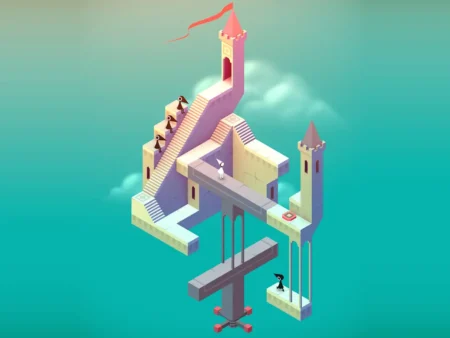
For every type of game that tends to push purchases, a genuinely free alternative exists. Match-3 with no IAP → Royal Match’s early levels. Word game → Wordle, Connections. Puzzle → Monument Valley on Apple Arcade. Strategy → Lichess chess. The free gaming ecosystem in 2026 is rich enough that spending is never necessary.
🎮 Games That Don’t Ask for Money (Genuinely Free)
NYT Games daily puzzles. Completely free. No purchases ever prompted.
Fully open-source chess. No purchases, no ads, no premium tier. Everything is free forever.
Browser multiplayer. No accounts, no purchases, no ads in-game.
Daily free rounds with no purchase pressure. The free tier is genuinely generous.
The Bottom Line
You don’t have to spend money to enjoy mobile games in 2026. The best casual gaming experiences — Wordle, Lichess, Alto’s Odyssey on Arcade, Stardew Valley for a one-time fee — cost nothing or very little and contain zero ongoing purchase pressure. The moment a game makes you feel like spending is necessary to continue enjoying it, that game has stopped being entertainment. You’re allowed to walk away.
Digital Mums covers casual gaming, tech and digital life. No affiliate relationships with any games or platforms mentioned in this article.